Lunory-Sleek & Feature-Focused
- 1.5
- Rating
- 10.00K
- Installs
- Free
- Price

 Analysis by App-foxy
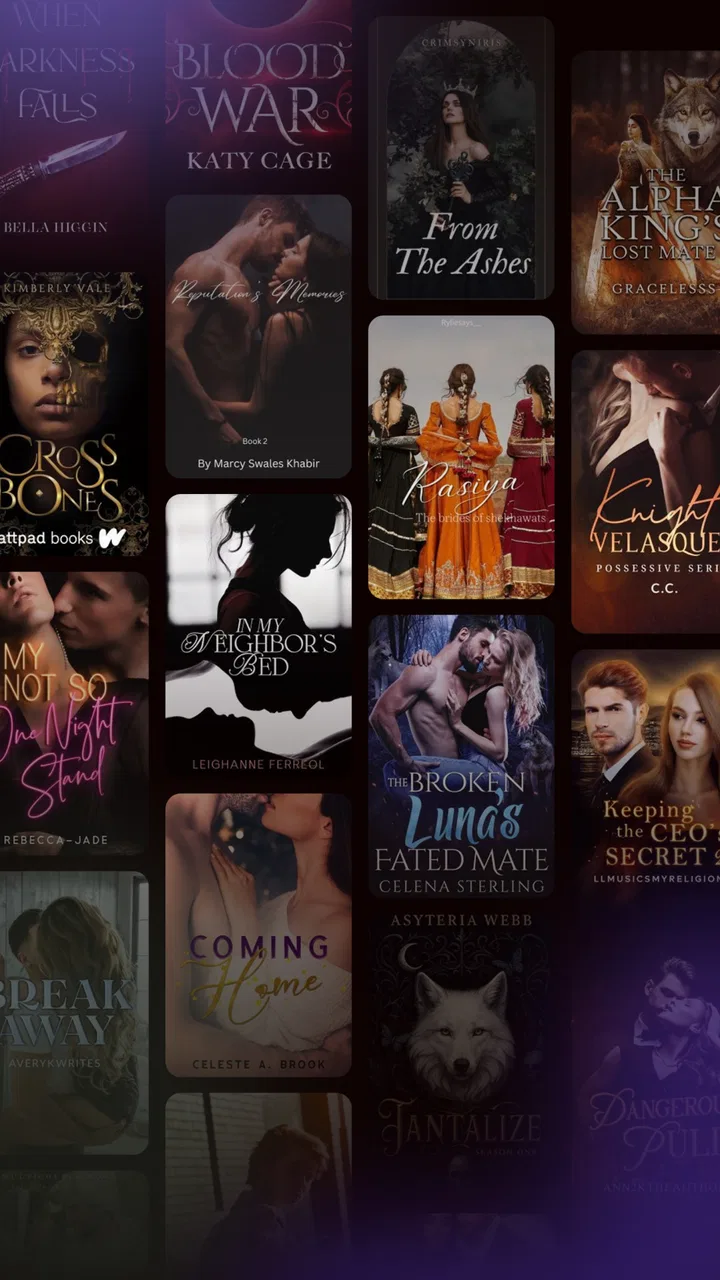
I spent time with Lunory as an entertainment app built around short-form stories, new episodes, and selected recommendations. Its basic promise is easy to understand: open the app when you have a few spare minutes, browse the available fiction, and settle into something that can be read in small portions. That makes it more focused than a general video platform, but the experience also depends heavily on whether the available selection matches your taste.
My first impression was that Lunory is trying to make serialized storytelling feel light and approachable. You do not need to commit to a full novel or search through a huge general-purpose catalog before finding something to try. The emphasis is on discovering a story, sampling an episode, and returning later. In practice, that can work well during a commute, while waiting for an appointment, or at the end of the day when I want entertainment that is quieter than video.
There is an important qualification, though. The app has an average rating of 1.5 from roughly 45 ratings, so I would not recommend installing it blindly and expecting a polished experience for everyone. That score does not tell me which individual problems affected each reviewer, but it is still a clear signal to approach Lunory with modest expectations. I see it as an app worth testing if its story format appeals to you, not as an automatic replacement for every established reading or streaming service.
You May Also Like

 AccuWeather: Weather Radar
AccuWeather Review: A Quick, Clear Forecast for Everyday Decisions
For everyday plans, the best forecast is the one you can understand quickly. AccuWeather makes rain timing, radar, and local conditions easy to act on, with a few trade-offs.

 Hill Climb Racing
Why Hill Climb Racing Still Turns Crashes Into One More Run
A tiny car, a bumpy hill and one more upgrade: Hill Climb Racing keeps resurfacing because its simple chaos makes every near-miss feel personal.

 AliExpress - Shopping App
AliExpress Makes Global Shopping Feel Personal, but Shoppers Bear the Risk
AliExpress turns a global marketplace into a pocket-sized discovery engine. Its reach is useful, its shopping loop compelling, and its trade-offs easy to miss.

 Lords Mobile: Kingdom Wars
Lords Mobile Is a Kingdom-Building Routine, Not a Quick Match
A case-by-case verdict on the building, battles, device demands, and social commitments that make Lords Mobile rewarding for some players and exhausting for others.

 PDF Scanner app - TapScanner
TapScanner Makes Paperwork Easier to Capture, Check, and Share
TapScanner makes scanning with a phone feel less like a rescue operation and more like a dependable step in getting work done. Its capture tools are useful, though not flawless.

 Block Blast!
Block Blast! Shows How Much a Puzzle Game Can Leave Out
A quiet grid game shows why puzzle players increasingly value instant clarity, repeatable skill and low-pressure play—and where the genre still needs to catch up.
More From Our News Desk
View All News


How I used Lunory for everyday story browsing
I approached Lunory as a quick, everyday way to dip into serialized stories rather than as a replacement for a full reading library. This section looks at a simple browsing routine, how to make short sessions feel worthwhile, and the small choices that can help me decide whether a story deserves a return visit.
A simple routine works better than random scrolling
My most useful baseline workflow was deliberately simple. I opened Lunory when I had enough time to read at least one episode, looked through the curated picks, and chose one story rather than jumping between several. That small habit matters because serialized entertainment can become tiring when every session is spent deciding what to start. The app is at its best when discovery leads quickly into reading.
The store summary points toward captivating stories, fresh episodes, and curated selections, and those three ideas describe the intended rhythm. The curated area is useful for reducing the amount of searching, while fresh episodes give returning users a reason to check back. I would not treat either area as a guarantee that every recommendation will suit me. Instead, I used them as a starting point and judged a story by its opening episode, writing style, and pacing.
For a realistic everyday example, imagine having fifteen minutes before leaving for work. Lunory can fit that gap better than a long film or a traditional book that requires more concentration before the plot becomes engaging. I would open the app, continue a story already in progress, and stop at a natural break. That is a better use of the app than opening it without a plan and spending the entire break browsing.
Another practical routine is to keep one main story and one backup choice. The first can be something with a continuing plot, while the second is useful when I am not in the mood for the same tone. This prevents the common problem of abandoning a story simply because the current episode does not match my mood. It also makes the curated recommendations more useful: they become alternatives rather than an endless feed.
Who will appreciate the format
Lunory makes the most sense for readers who enjoy episodic fiction and prefer short, repeatable sessions. It may suit someone who likes checking for new chapters, following a developing story, and discovering material through editorial selection instead of building a library manually. The free entry point also makes experimenting easier, especially if I only want to see whether the format fits my habits before spending anything.
It is less suitable for readers who want a large, established ebook library, detailed control over typography, or a dependable way to read books from authors they already follow. A dedicated ebook app is usually better for long-form reading, ownership of a personal collection, and advanced reading tools. A video service is the stronger choice when I want passive entertainment, sound, acting, and visual production rather than text-based storytelling.
Families should also pay attention to the age label. Lunory is marked Everyone, which makes the app broadly approachable, but that label should not be treated as a personal guarantee that every story will match every family’s preferences. I would still look at the individual material before handing the device to a child, particularly if the child is browsing independently.
What the developer and current build suggest
Lunory is developed by VetraShort, and the current version is 1.1.1. It runs on Android devices using version 6.0 or later, which covers many older phones as well as newer ones. That broad compatibility is helpful if I am testing the app on a spare device or an older handset, although compatibility alone does not determine how smooth the experience feels on a particular phone.
The app is free to install, but it includes in-app purchases ranging from $4.89 to $299.99 per item. That range deserves attention before I become invested in a story. I would browse first, understand which parts of the experience are available without payment, and avoid treating a free download as proof that the full reading journey will remain free. The safest habit is to make a clear personal spending limit before exploring paid options.
Because Lunory released on Jun 21, 2026, I would view it as a relatively early product rather than a mature entertainment platform with a long track record. It has passed the threshold of 10K+ installs, but that is still a smaller audience than the major services people commonly use for books, comics, or streaming shows. For me, that means the app is more interesting as a focused experiment than as the only entertainment app on my phone.
Settings and habits worth checking first
I recommend taking a minute to inspect the app’s available controls before settling into regular use. I would look for reading preferences, notification choices, account or purchase controls, and any options that affect how recommendations are presented. I am not assuming that every one of these controls exists in the current build; the point is to check what is actually available instead of accepting the default experience without thought.
Notification discipline is especially important for an episodic app. If Lunory offers separate controls for new episodes or general recommendations, I would keep only the alerts that genuinely help me return to a story. If the settings are less granular, I would consider disabling notifications at the device level during work or study hours. A story app should fit my routine, not repeatedly interrupt it.
I would also review purchase confirmation behavior before exploring premium material. With individual purchases reaching a high amount, accidental taps or impulsive decisions are avoidable sources of frustration. Reading the purchase screen carefully, using the device’s normal authentication safeguards, and deciding in advance whether I am willing to pay for a particular story are simple but valuable precautions.
A useful advanced habit is to separate discovery from commitment. I would first sample a recommendation, then leave the app and return later before deciding whether it deserves regular attention. That pause helps me judge whether I truly like the writing and pacing or whether I was merely influenced by a prominent placement. It also reduces the chance of spending money on a story I only found interesting for a few minutes.
Faster patterns for returning readers
Experienced users can make Lunory feel less repetitive by creating a consistent return pattern. I would check continuing stories at a set time, use curated picks only when I want something new, and stop browsing once I have found a reasonable choice. This sounds obvious, but it solves one of the biggest problems in entertainment apps: the time lost to choosing rather than enjoying.
When I discover a story I like, I would make a mental note of why it worked. Was the opening direct? Did the episode end with a useful reason to continue? Was the tone right for a short evening session? These questions help me evaluate future recommendations more quickly. They also prevent me from selecting stories solely because they are labeled fresh or featured.
Another efficient pattern is to match story length and mood to the available time. For a short break, I would choose a familiar continuing story rather than begin something complex. For a relaxed evening, I would be more willing to test a new recommendation. This approach makes the app feel more predictable and reduces the disappointment of starting an episode that demands more attention than I can give.
If I were using Lunory on multiple occasions throughout the week, I would avoid opening it automatically whenever I feel bored. I would decide first whether I want reading, video, music, or a game. Lunory is strongest when I specifically want serialized text. Choosing it for every kind of downtime would expose its limitations and make the catalog feel narrower than it might actually be.
Where the streamlined approach reaches its limits
The same simplicity that can make Lunory approachable may frustrate readers who want deep control. A curated entertainment app is naturally less flexible than a full ebook reader or a broad digital library. If I need extensive sorting, a carefully organized personal collection, advanced display adjustments, or a known author catalog, I would probably choose a more specialized alternative.
The rating is another practical concern. An average of 1.5 is low enough that I would pay close attention to stability, navigation, and the quality of the reading experience during my own trial. I would not spend money immediately after installing it. First I would confirm that the app opens reliably, that I can find and resume stories comfortably, and that the available material is strong enough to justify continued use.
The purchase range creates a second limit. Free access can be attractive, but serialized content can encourage repeated small decisions, and the upper end of the listed purchase range makes careful spending essential. I would never begin a paid sequence without understanding what I am buying and whether the cost is for a single item or part of a broader progression. If the payment structure feels unclear, I would stop rather than assume the next step will be inexpensive.
There is also a trade-off between freshness and consistency. New episodes can make Lunory feel active, but a steady flow of updates does not automatically mean that every story is equally good. Curated recommendations save time, yet they also mean that my choices are shaped by the app’s selection rather than only by my own library. Readers who enjoy exploring independently may prefer a service with stronger search and collection tools.
How Lunory compares with familiar alternatives
Compared with a traditional ebook app, Lunory appears more oriented toward discovery and serialized reading than toward owning or managing a broad book collection. I would choose Lunory when I want a quick story session and curated suggestions. I would choose an ebook reader when I want to read a complete novel, adjust the page experience extensively, or keep a long-term library in one place.
Compared with video platforms, Lunory asks more from my imagination but less from my surroundings. I can read quietly without sound, and a short episode may be easier to fit into a small break than a full video. On the other hand, video is better when I want immediate visual stimulation or do not feel like concentrating on text. These are different forms of relaxation, so Lunory should not be judged as a cheaper version of streaming video.
Compared with social feeds, the app may offer a more purposeful way to spend spare time. A story has continuity, while a feed can encourage endless switching. The trade-off is that Lunory’s value depends on finding stories I actually want to follow. If the recommendations do not connect with my interests, a general reading platform with stronger search may be more satisfying.
My practical decision after using it
I would recommend trying Lunory only with a clear test plan: browse the free experience, sample more than one story, check the controls, and delay purchases until the app has earned a place in my routine. That process answers the questions I would have as a new user: Is it easy to return to a story? Do the recommendations suit my taste? Can I use it comfortably in short sessions? Are the payment prompts clear enough for me to make deliberate choices?
I would skip it if I primarily want a complete ebook library, established bestsellers, extensive reading customization, or a platform with a stronger reputation. I would also skip it if the low average rating makes me uncomfortable experimenting with an early-stage entertainment app. There is no reason to force a fit when a specialized alternative already matches the way I read.
For the right person, however, the lightweight format has a real use. Someone who enjoys checking short episodes, likes being guided toward new fiction, and wants a free way to explore serialized entertainment may find Lunory worth keeping installed. The key is to use it intentionally: one story at a time, notifications under control, and purchases treated as decisions rather than automatic steps.
My final view is cautious rather than enthusiastic. Lunory has a clear idea and a convenient place in a reader’s day, but its low average rating and broad purchase range mean I would approach it as a trial. The best way to use Lunory is as a focused short-story companion, not as a complete replacement for reading, streaming, or library apps. If its recommendations quickly match your taste and the current version behaves well on your device, it may become a pleasant part of your routine. If not, moving to a more established alternative is the sensible choice.
FAQs for Lunory-Sleek & Feature-Focused
01What is Lunory-Sleek & Feature-Focused, and what does it do?
Lunory-Sleek & Feature-Focused is designed as a streamlined app that places its main tools and content within a clean, modern interface. Its focus is on making everyday interaction simple, with clearly arranged sections, responsive navigation, and minimal visual clutter. Before downloading, users should check the current store description because the exact features, supported devices, and available content may vary between Android and iOS versions.
02Is Lunory-Sleek & Feature-Focused easy to use for beginners?
The app appears aimed at users who prefer a straightforward experience rather than a complicated menu system. Core options are generally easier to locate because the interface emphasizes simplicity and organized layouts. Beginners should still spend a few minutes exploring the settings and main navigation after installation, especially if they want to customize notifications, appearance, permissions, or other available preferences.
03Does Lunory-Sleek & Feature-Focused require an internet connection?
Whether Lunory-Sleek & Feature-Focused works fully offline depends on the specific feature being used. Some interface elements or locally stored functions may remain available without a connection, while synchronized content, updates, account services, or online tools may require Wi-Fi or mobile data. Users with limited data plans should review the app’s permissions and store information before downloading.
04Is Lunory-Sleek & Feature-Focused free to download, and are there extra costs?
The download price and monetization model can differ depending on the platform and region. Lunory-Sleek & Feature-Focused may be offered as a free installation while including advertising, optional purchases, subscriptions, or premium features. Before confirming the download, users should inspect the Google Play or App Store listing for in-app purchase details and check whether any trial period automatically renews.
05What privacy and device permissions does Lunory-Sleek & Feature-Focused use?
As with any app, Lunory-Sleek & Feature-Focused may request permissions needed for particular functions, such as notifications, storage, network access, or account-related services. The exact requests can vary by operating system and app version. It is advisable to review the privacy policy and permission prompts carefully, allowing only access that makes sense for the features you intend to use.
Pros
- Clean
- modern interface that feels easy to navigate.
- Feature layout keeps essential tools accessible without clutter.
- Smooth performance during everyday use.
- Minimal design makes the app visually comfortable for longer sessions.
- Useful customization options help tailor the experience.]
- contras:[
- Some advanced features may take time to discover.
- Customization choices can feel limited for power users.
- The sleek design may prioritize appearance over detailed controls.
- Certain functions may require extra taps to access.
- Performance and feature availability may vary across devices.
Cons
- Some advanced features may take time to discover.
- Customization choices can feel limited for power users.
- The sleek design may prioritize appearance over detailed controls.
- Certain functions may require extra taps to access.
- Performance and feature availability may vary across devices.

Lunory-Sleek & Feature-Focused
Gallery